
Mail Configuration

XinAdmin provides visual mail configuration management, supporting multiple mail drivers and sending modes.

Configuration Interface
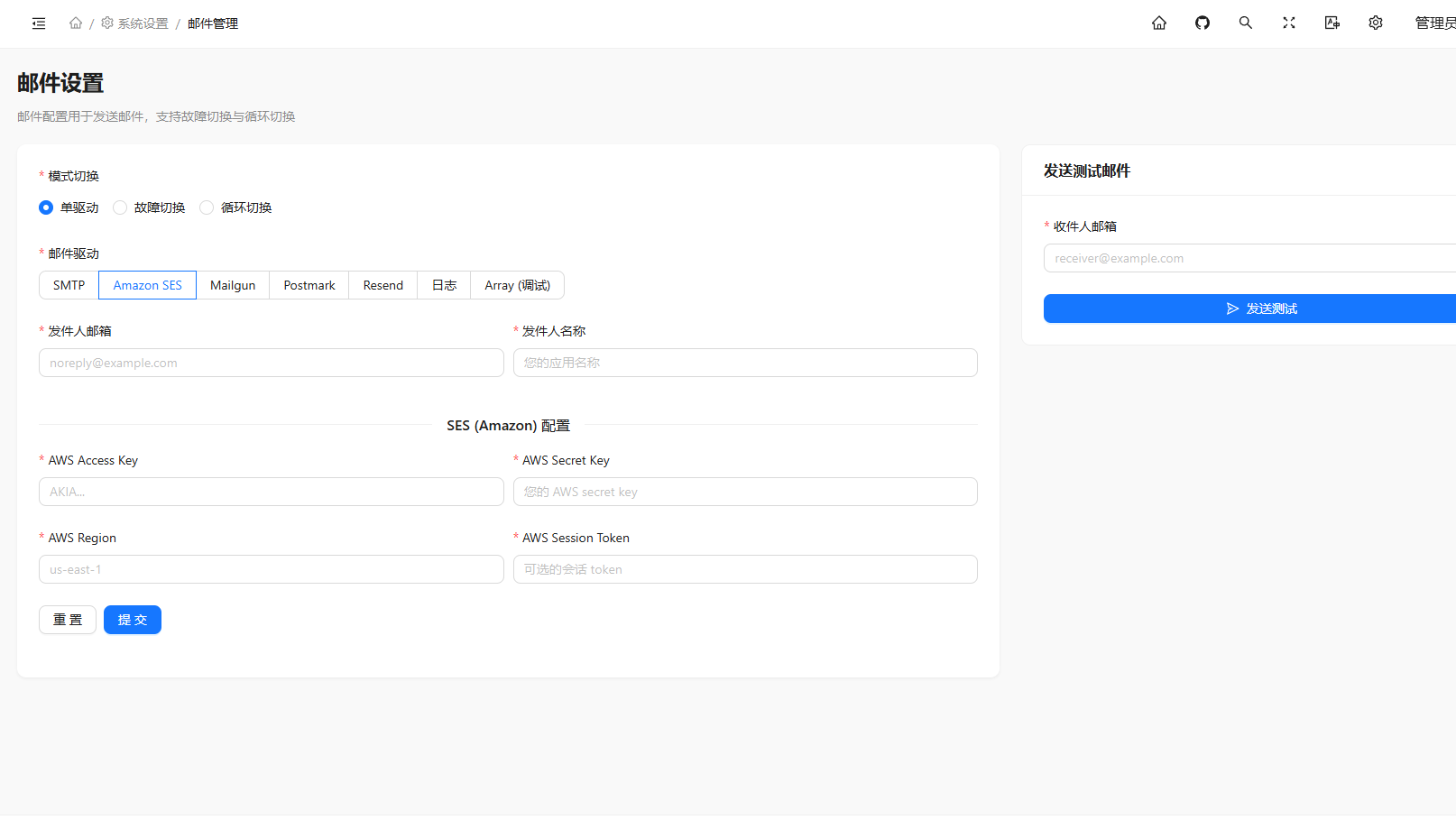
Mail Configuration

Mail Modes

XinAdmin supports three mail sending modes:

ModeDescription
singleSingle driver mode, uses a single mail service for sending
failoverFailover mode, tries multiple mail services in order until successful
roundrobinRound-robin mode, rotates between multiple mail services

Supported Mail Drivers

DriverDescription
SMTPStandard SMTP mail server
SESAmazon Simple Email Service
MailgunMailgun mail service
PostmarkPostmark mail service
ResendResend mail service
LogLog driver (for development debugging)
ArrayArray driver (no actual sending)

Configuration Fields

Sender Configuration

FieldDescription
From AddressSender email address displayed in emails
From NameSender name displayed in emails

SMTP Configuration

FieldDescription
HostSMTP server address, e.g., smtp.gmail.com
PortSMTP server port, common ports: 25, 465, 587
UsernameSMTP authentication username
PasswordSMTP authentication password

Postmark Configuration

FieldDescription
TokenPostmark API Token

Resend Configuration

FieldDescription
KeyResend API Key

Mailgun Configuration

FieldDescription
DomainMailgun domain
SecretMailgun API Secret
EndpointAPI endpoint address, default api.mailgun.net

SES Configuration

FieldDescription
Access Key IDAWS access key ID
Secret Access KeyAWS access key
RegionAWS region, e.g., us-east-1
Session TokenAWS session token (optional)

Log Configuration

FieldDescription
ChannelLog channel, default stack

Environment Variables

After saving, the following variables in .env file are automatically updated:

VariableDescription
MAIL_MAILERDefault mail driver
MAIL_HOSTSMTP host address
MAIL_PORTSMTP port
MAIL_USERNAMESMTP username
MAIL_PASSWORDSMTP password
MAIL_FROM_ADDRESSSender address
MAIL_FROM_NAMESender name
MAIL_FAILOVER_MAILERSFailover driver list
MAIL_ROUNDROBIN_MAILERSRound-robin driver list
POSTMARK_TOKENPostmark Token
RESEND_KEYResend API Key
MAILGUN_DOMAINMailgun domain
MAILGUN_SECRETMailgun Secret
MAILGUN_ENDPOINTMailgun endpoint
AWS_ACCESS_KEY_IDAWS access key ID
AWS_SECRET_ACCESS_KEYAWS access key
AWS_DEFAULT_REGIONAWS region
AWS_SESSION_TOKENAWS session token

Usage Examples

Sending Email

After configuration, you can use Laravel Mail facade to send emails:

use Illuminate\Support\Facades\Mail;

Mail::to('user@example.com')->send(new \App\Mail\WelcomeMail());

Sending Plain Text Email

Mail::raw('Email content', function ($message) {
    $message->to('user@example.com')
        ->subject('Email Subject');
});