
File Storage Configuration

XinAdmin provides visual file storage configuration management, supporting multiple storage drivers.

Configuration Interface
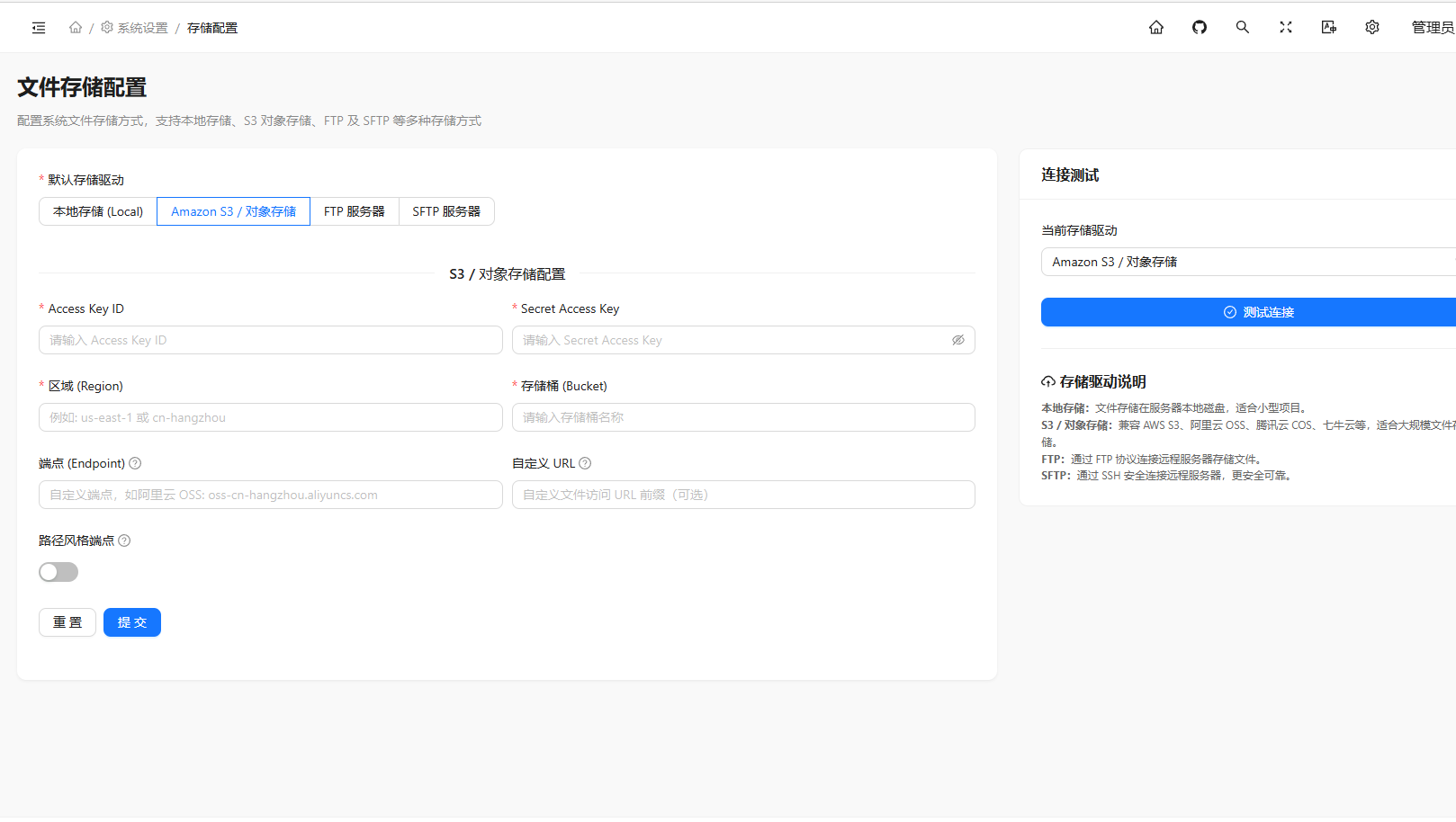
File Storage Configuration

Supported Storage Drivers

DriverDescription
localLocal storage, suitable for development
S3Amazon S3 or S3-compatible object storage (e.g., Aliyun OSS, Tencent COS)
FTPFTP server storage
SFTPSFTP server storage

Configuration Fields

Local Storage Configuration

FieldDescription
URLBase URL for file access

S3 Configuration

FieldDescription
Access Key IDAWS access key ID
Secret Access KeyAWS access key
RegionAWS region, e.g., us-east-1
BucketS3 bucket name
URLCustom file URL prefix
EndpointCustom endpoint address (for Aliyun OSS, Tencent COS, etc.)
Use Path Style EndpointEnable path-style access, default false

FTP Configuration

FieldDescription
HostFTP server address
PortFTP port, default 21
UsernameFTP authentication username
PasswordFTP authentication password
RootRoot directory on FTP server
TimeoutConnection timeout in seconds
PassiveEnable passive mode, default enabled
SSLEnable FTP over SSL, default disabled

SFTP Configuration

FieldDescription
HostSFTP server address
PortSFTP port, default 22
UsernameSFTP authentication username
PasswordSFTP authentication password
RootRoot directory on SFTP server
TimeoutConnection timeout in seconds
Private KeySSH private key content (can replace password)
PassphrasePrivate key passphrase (if any)

Environment Variables

After saving, the following variables in .env file are automatically updated:

VariableDescription
FILESYSTEM_DISKDefault storage driver
FILESYSTEM_LOCAL_URLLocal storage access URL
AWS_ACCESS_KEY_IDAWS Access Key ID
AWS_SECRET_ACCESS_KEYAWS Secret Access Key
AWS_DEFAULT_REGIONAWS region
AWS_BUCKETS3 bucket name
AWS_URLAWS custom URL
AWS_ENDPOINTAWS custom endpoint
AWS_USE_PATH_STYLE_ENDPOINTUse path style endpoint
FTP_HOSTFTP host address
FTP_USERNAMEFTP username
FTP_PASSWORDFTP password
FTP_PORTFTP port
FTP_ROOTFTP root directory
FTP_PASSIVEFTP passive mode
FTP_SSLFTP SSL
FTP_TIMEOUTFTP timeout
SFTP_HOSTSFTP host address
SFTP_USERNAMESFTP username
SFTP_PASSWORDSFTP password
SFTP_PORTSFTP port
SFTP_ROOTSFTP root directory
SFTP_TIMEOUTSFTP timeout
SFTP_PRIVATE_KEYSFTP private key
SFTP_PASSPHRASESFTP private key passphrase

Usage Examples

Upload Files

use Illuminate\Support\Facades\Storage;

// Upload file
$path = Storage::putFile('uploads', $request->file('file'));

// Upload string content
$path = Storage::put('file.txt', 'Hello World');

// Check if file exists
$exists = Storage::exists('file.txt');

// Get file content
$content = Storage::get('file.txt');

// Delete file
Storage::delete('file.txt');

Using Different Disks

// Use S3 storage
$s3Path = Storage::disk('s3')->putFile('uploads', $request->file('file'));

// Use FTP storage
$ftpPath = Storage::disk('ftp')->put('file.txt', 'Hello World');

Get File URL

$url = Storage::url('file.jpg');